
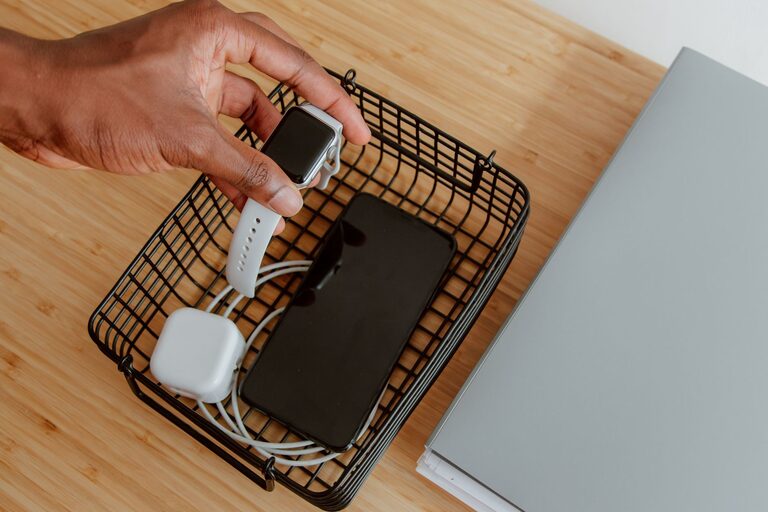
Creating a dedicated charging station for your devices is a smart way to keep your gadgets powered and your space clutter-free. With so many devices today—smartphones, tablets, smartwatches, headphones, and more—it’s easy to end up with tangled cables and scattered chargers. A well-organized charging station brings order and convenience, making it easier to keep track of your electronics and charge them efficiently.
In this guide, we’ll walk you through the steps to set up a functional and neat charging station, whether it’s for your home, office, or shared space.
Why Set Up a Charging Station?
Before diving into the setup, here’s why having a dedicated charging station is beneficial:
– Reduces clutter: Keeps cables and devices in one place.
– Improves charging efficiency: Multiple devices can charge simultaneously.
– Protects your devices: Prevents accidental damage from loose cords.
– Saves time: You always know where to plug in and grab your devices.
– Encourages good habits: Charging devices overnight or during downtime becomes easier.
Step 1: Choose the Right Location
Start by selecting a convenient location for your charging station. Consider these factors:
– Accessibility: Pick a spot where you frequently use your devices or pass by often, such as a desk, countertop, or bedside table.
– Power source availability: Ensure there is a nearby wall outlet or power strip with enough plugs.
– Surface space: You’ll need enough room for your devices and charging accessories.
– Safety: Avoid locations near water or places prone to accidental spills.
Step 2: Gather Your Charging Equipment
Make sure you have the right tools to build your charging station:
– Multi-port USB charger or charging hub: These chargers offer multiple USB ports to power several devices at once.
– Power strip or surge protector: To connect multiple chargers and protect your electronics.
– Charging cables: Collect all cables compatible with your devices (USB-C, Lightning, Micro USB).
– Organizer trays or stands: To hold devices while charging.
– Cable management accessories: Velcro ties, clips, or cable sleeves to keep cords tidy.
Step 3: Plan Your Setup Layout
Organize your charging station so it looks neat and functions well:
– Device placement: Arrange devices according to size and frequency of use. Smaller devices like earbuds can go in a tray.
– Charger placement: Place the multi-port charger or power strip where cables can reach easily.
– Cable routing: Plan how cables will run to avoid tangles and create a clean look.
Step 4: Assemble Your Charging Station
Follow these tips for a smooth assembly process:
- **Connect the power strip or surge protector** to the wall outlet.
- **Plug in the multi-port USB charger** or individual chargers into the power source.
- **Attach cables** to the charging ports and organize them using cable ties or clips.
- **Arrange devices** on organizer trays, stands, or simply in a designated area.
- **Label cables or ports** if you have many devices, to quickly identify which charger matches which gadget.
Step 5: Keep It Tidy with Cable Management
Cable clutter can quickly ruin a clean charging station. Here’s how to manage cables:
– Use cable clips or adhesive mounts to guide cables along furniture edges.
– Bundle excess cable length with Velcro straps or twist ties.
– Use a cable sleeve or box to hide multiple cables together.
– Regularly check for damaged cables and replace them to avoid hazards.
Additional Tips for a Better Charging Station
– Choose fast chargers compatible with your devices for quicker charging.
– Use a wireless charging pad for Qi-enabled devices to reduce cables.
– Ensure good ventilation around chargers to avoid overheating.
– Consider a portable charging station if you need mobility.
– Keep your charging area dust-free by wiping it regularly.
Conclusion
Setting up a charging station is a simple and effective way to organize your devices and keep them powered without hassle. With the right location, equipment, and some cable management, you can enjoy a clutter-free space and always have your gadgets ready to go. Whether in your home or office, a dedicated charging station improves convenience and helps maintain your devices’ longevity.
Start small by organizing your most-used devices, then expand as needed. A little effort upfront will save you time and stress in the long run. Happy charging!
